Point of sale.
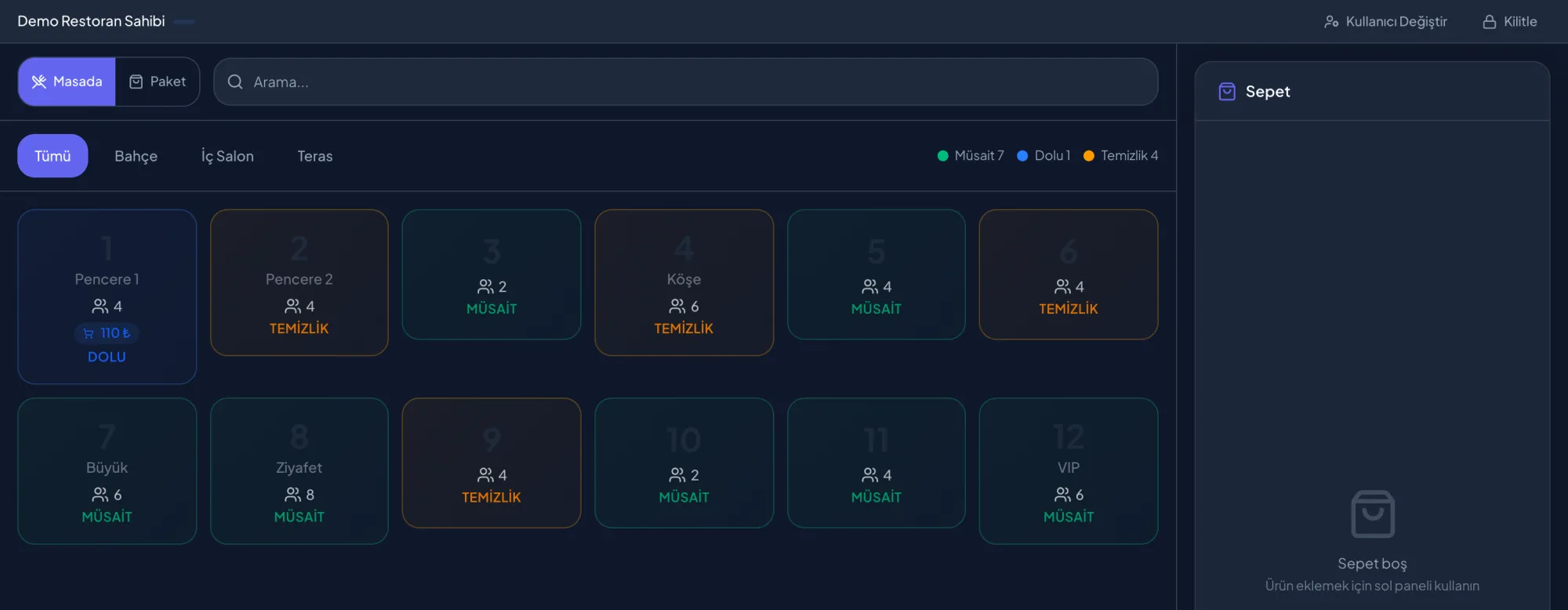
Tables, zones and occupancy at a glance; an order starts at the table or as takeaway.
- Table status by zone.
- Dine-in and takeaway orders.
- User switching and lock.
 Venitech Talk to us
 Restaurant OS
Restaurant OS keeps orders, tables, kitchen, stock, staff and loyalty in one source of truth, in sync across every location. Veni IQ works on the same data, and Veni App brings the guest to your door.
Modules
Orders, bills, discounts and payment methods on one screen.
Guests scan the code on the table, order, and follow preparation on their phone.
Orders land at their stations; preparing, waiting and ready at a glance.
Zones, table layout and QR codes; the floor’s live state.
Recipe-driven stock deduction, expiry tracking and cost per item.
Suppliers and purchase orders, with reorder suggestions when stock runs low.
Rotas, clock-in and clock-out, break and overtime alerts, team tasks.
Daily reports, item and daypart analysis, and how visible the venue is on Veni.
Menu, team, stock and promotions across branches, from one centre.
Promotions, points and coupons, connected directly to the guest on Veni App.
Fiscal records flow to Türkiye’s new-generation payment recorder devices.
Paired terminals keep working when the connection drops and sync when it returns.
Screens
These are Restaurant OS’s own screens. The data comes from a demo restaurant called Veni Demo — Kadıköy.
Tables, zones and occupancy at a glance; an order starts at the table or as takeaway.
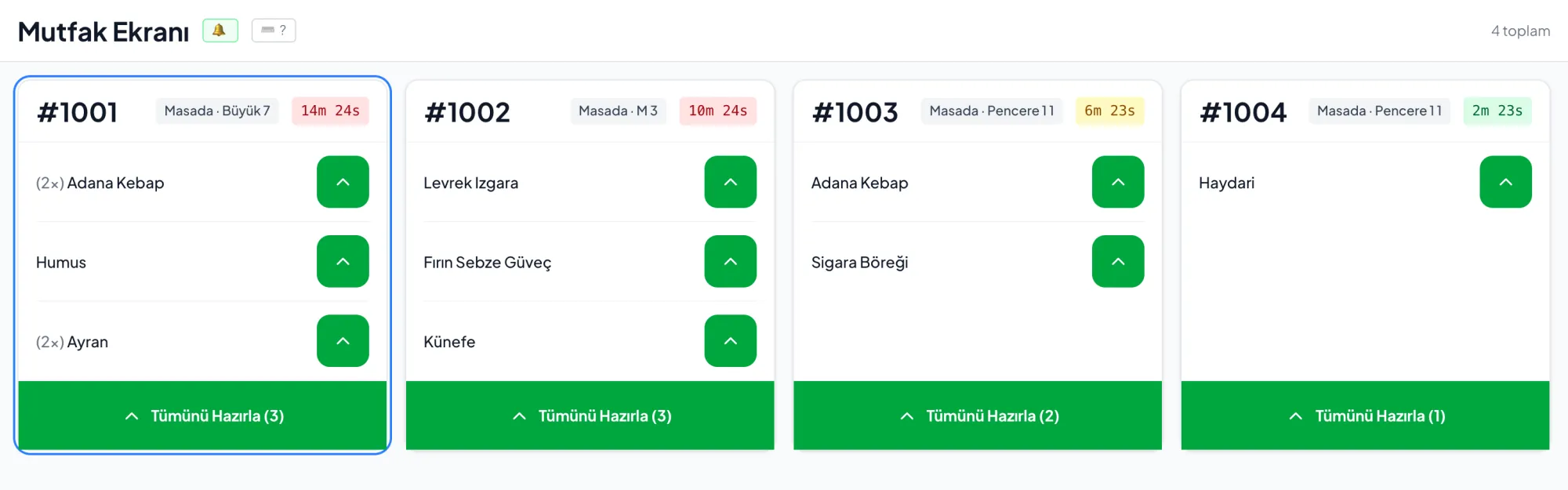
Every order lands as a ticket; items are prepared one by one or all at once.
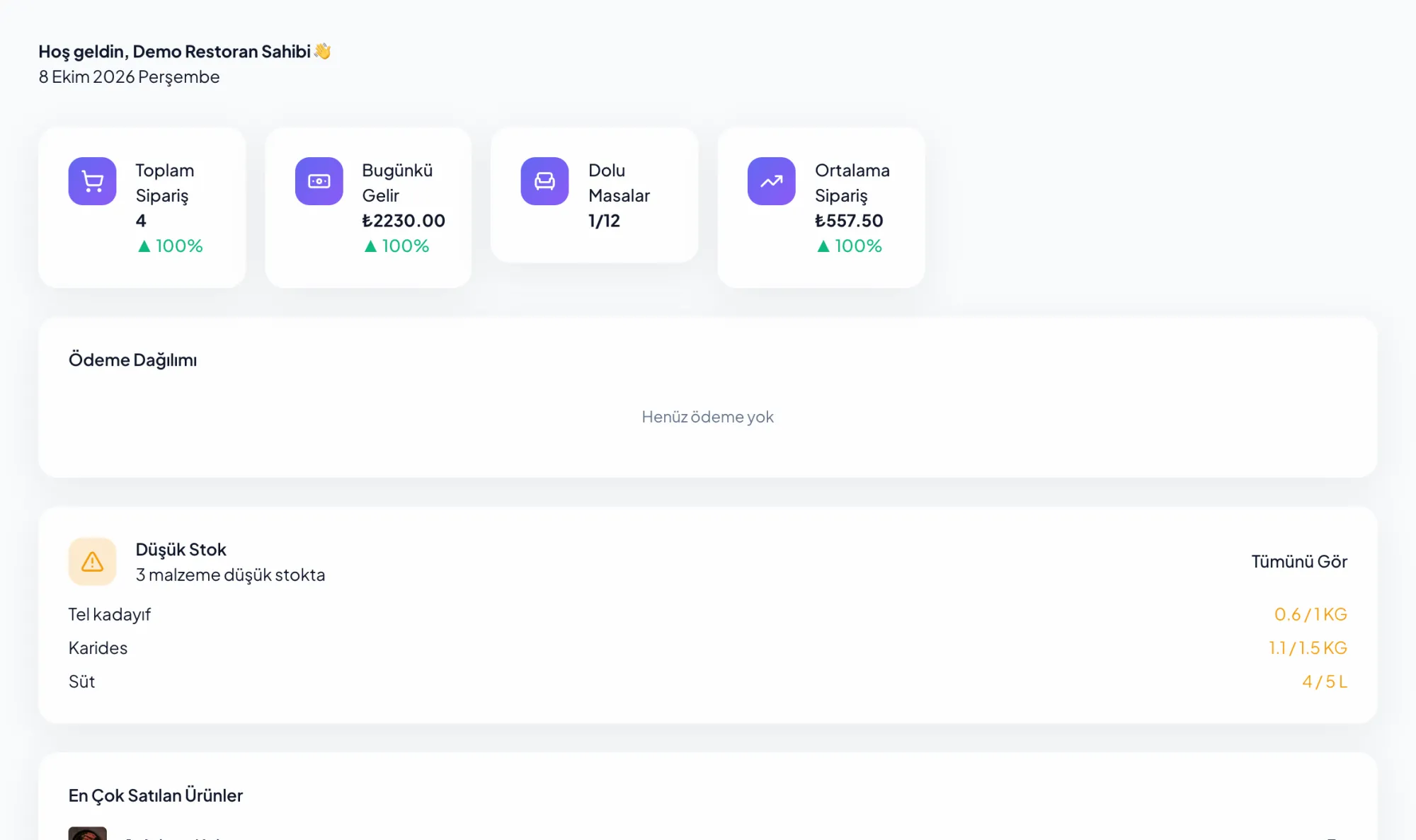
Today’s orders, revenue, occupied tables and average bill, with low stock and best sellers on the same screen.
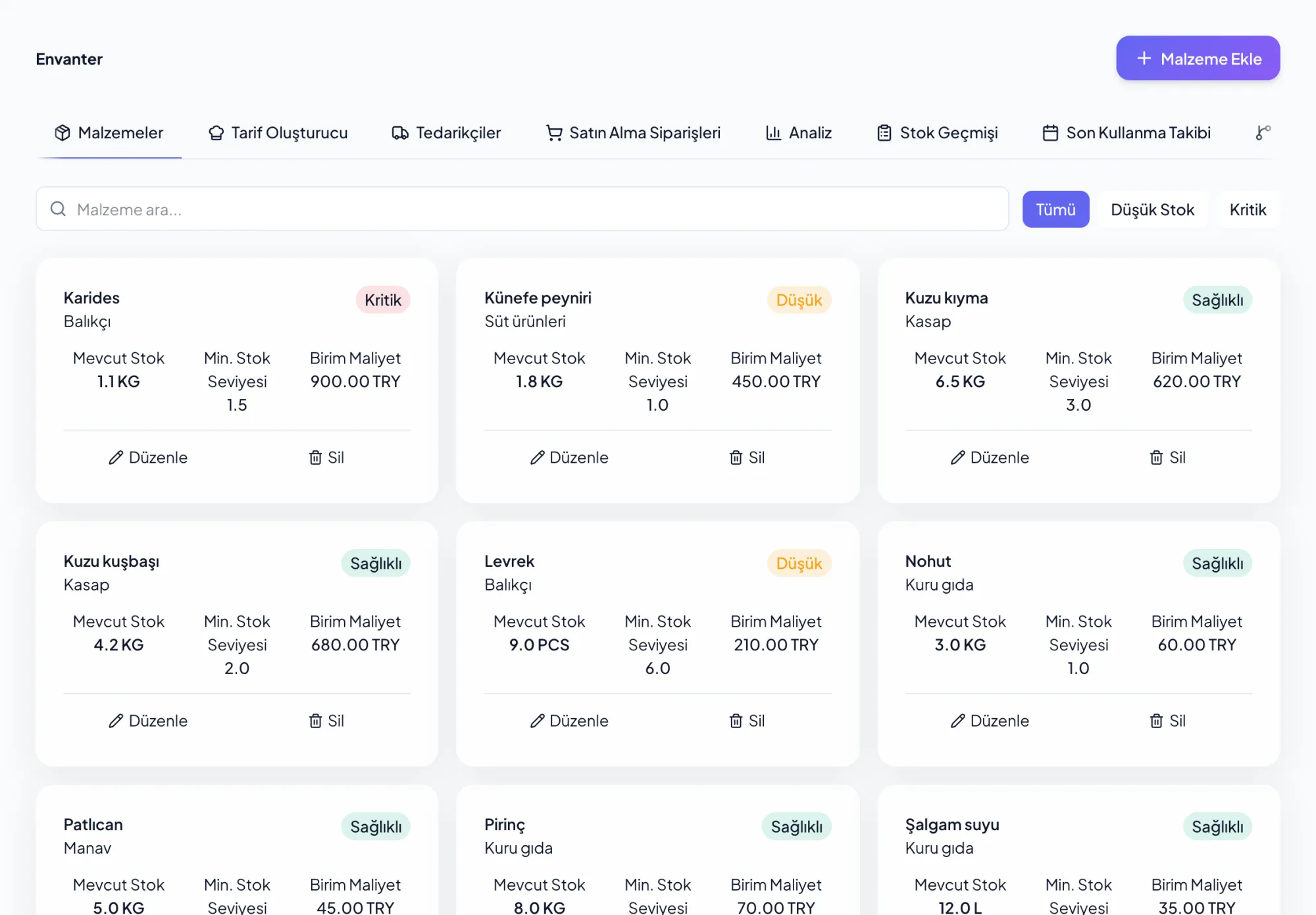
Ingredients with their supplier, unit cost and critical level; anything running low is flagged on its own.
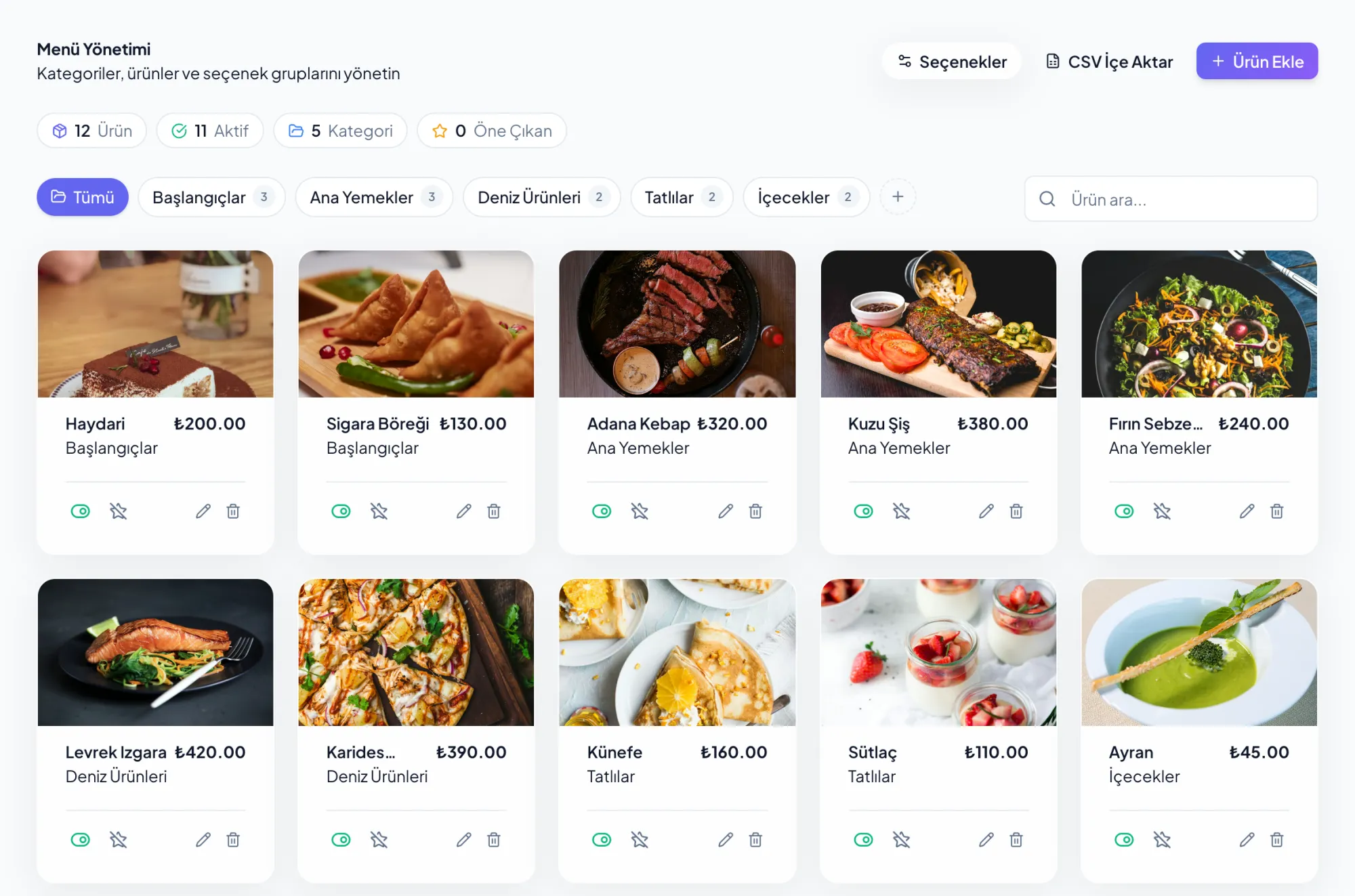
Categories, items with photos and prices; taking an item off is one tap.
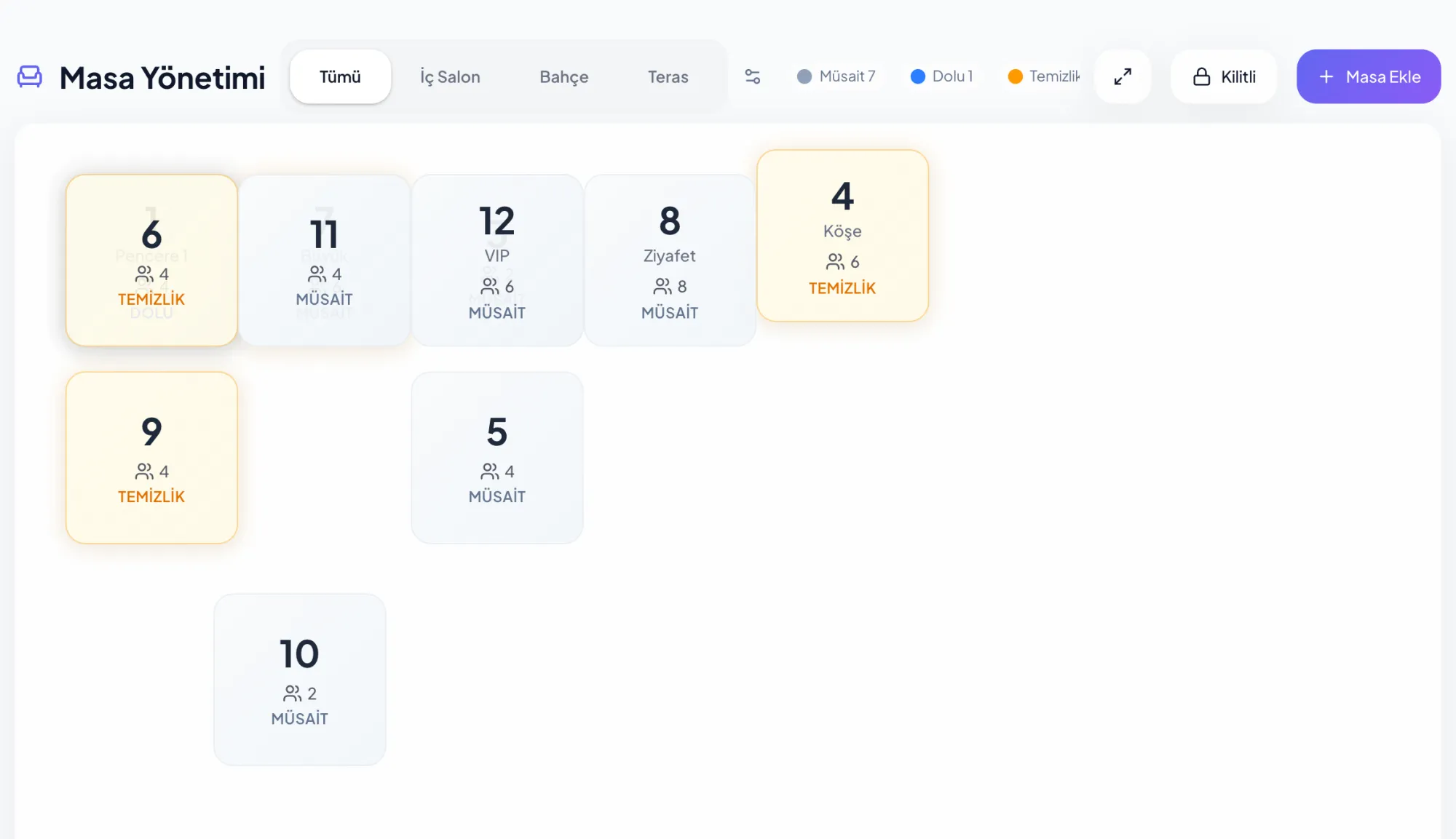
The floor as it really is; tables are dragged into place, zones kept apart.
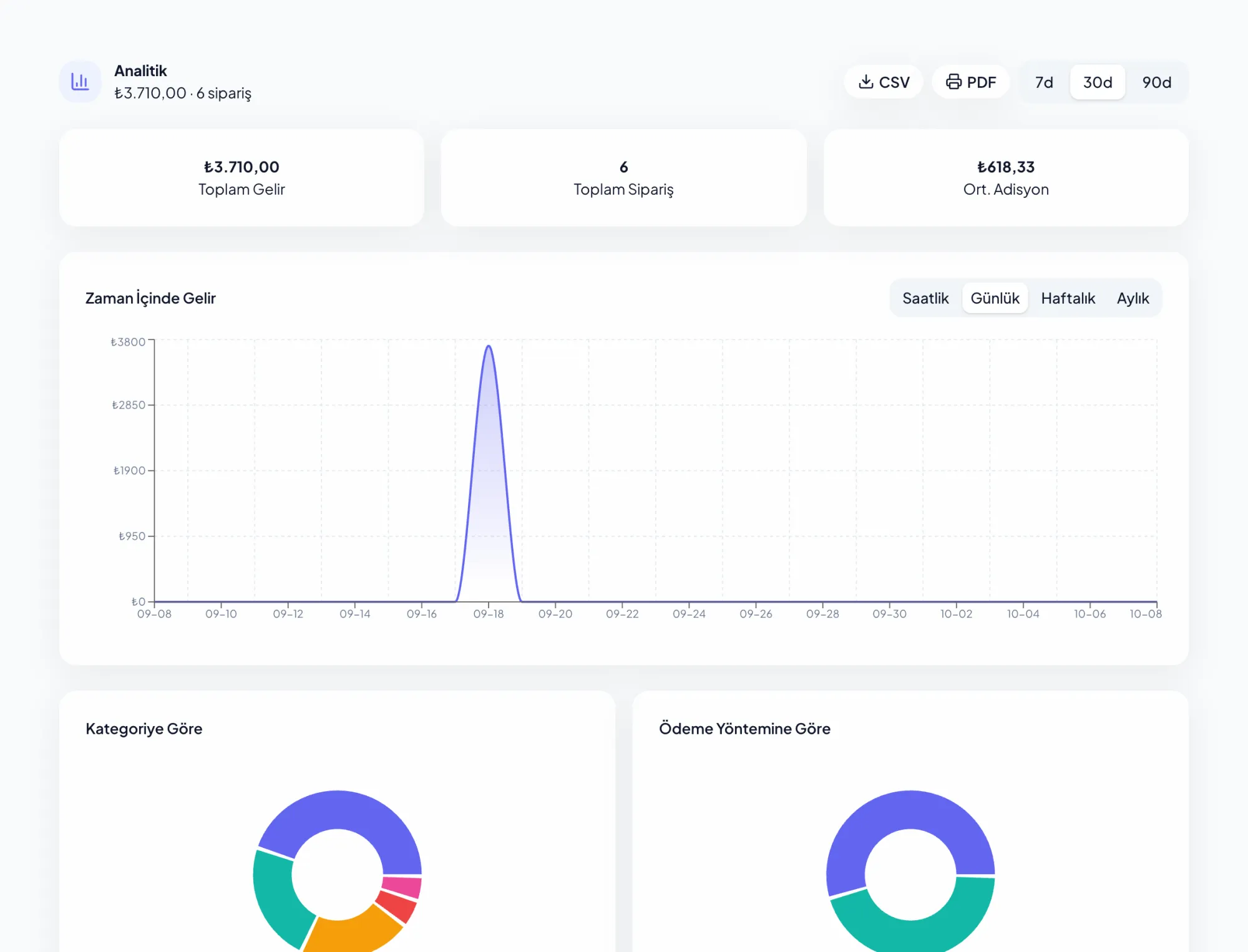
Revenue, orders and average bill; broken down by category and payment method.
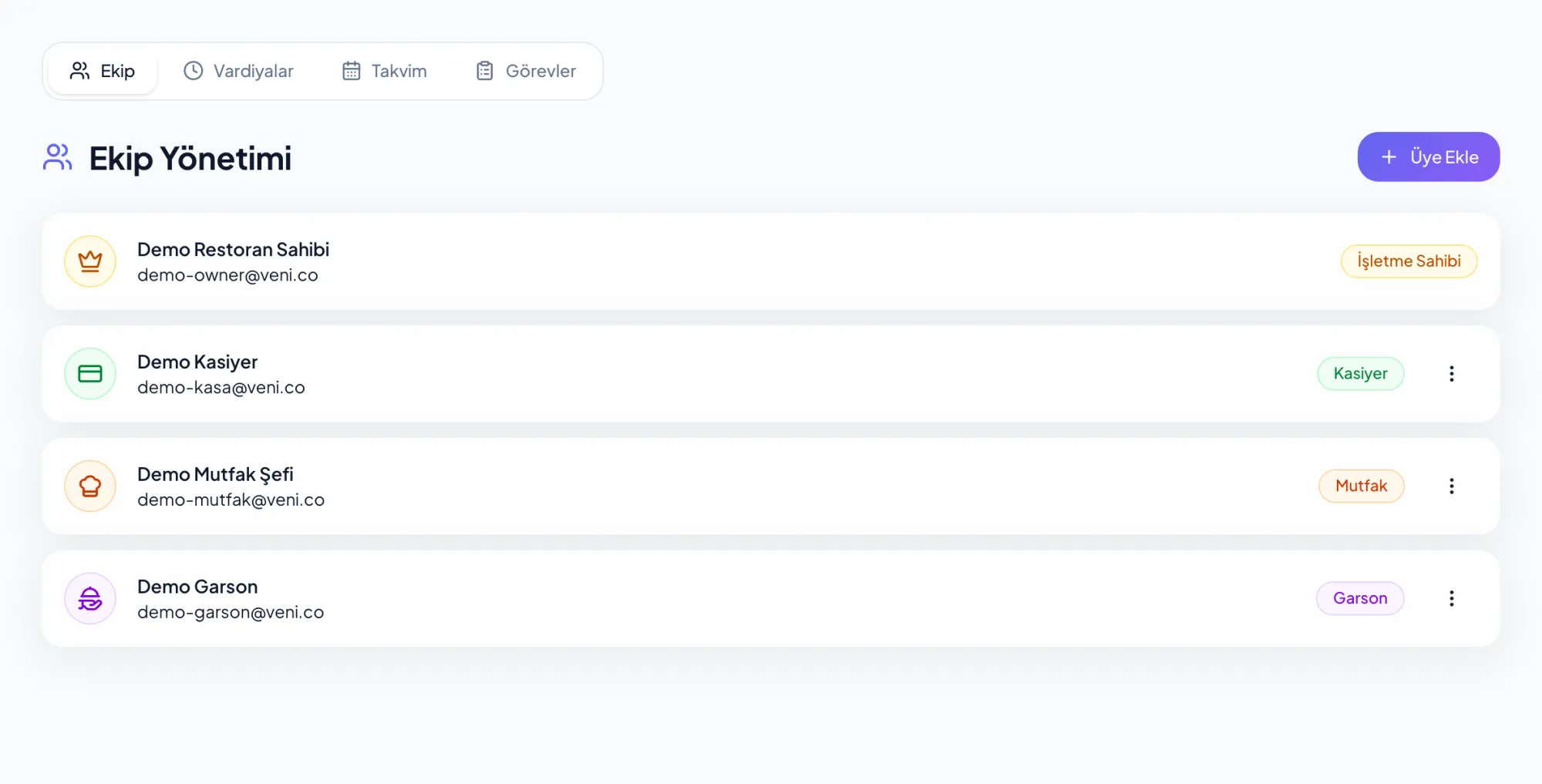
The team by role, with shifts, calendar and tasks in one place.
Veni IQ
Veni IQ is the operations assistant that works on Restaurant OS data. Ask about sales, stock, the team or the floor; the answer comes from the venue’s own records.
Revenue, item performance, food cost, waste, labour and table turnover.
Things that need attention surface on their own and stay in the feed until dismissed.
Update a price, take an item off the menu, assign a task. Each one runs only with your approval.
Which items sold best this week?
Tools used
get_sales_summary get_top_products get_daypart_analysis get_revenue_timeseries Which ingredients run out this week?
Tools used
get_inventory_status get_expiring_batches get_waste_analysis suggest_purchase_order Create a purchase order for milk.
create_purchase_order · Waiting for your approval
Is there a gap in Saturday night’s rota?
Tools used
get_live_shift_status get_schedule_gaps get_overtime_alerts calculate_labor_cost Assign the closing clean-down to the evening team.
assign_staff_task · Waiting for your approval
Which items are ordered together?
Tools used
get_menu_performance get_menu_item_pairings get_top_products Take the künefe off today’s menu.
mark_item_unavailable · Waiting for your approval
Does the terrace or the dining room turn faster?
Tools used
get_zone_performance get_table_turnover_rate get_avg_preparation_time get_live_floor_status Did yesterday’s till reconcile?
Tools used
get_daily_reconciliation get_payment_breakdown get_refund_analysis get_tax_summary Illustration. The tool names are Veni IQ’s own; answers are computed from the venue’s own data.
With Veni App
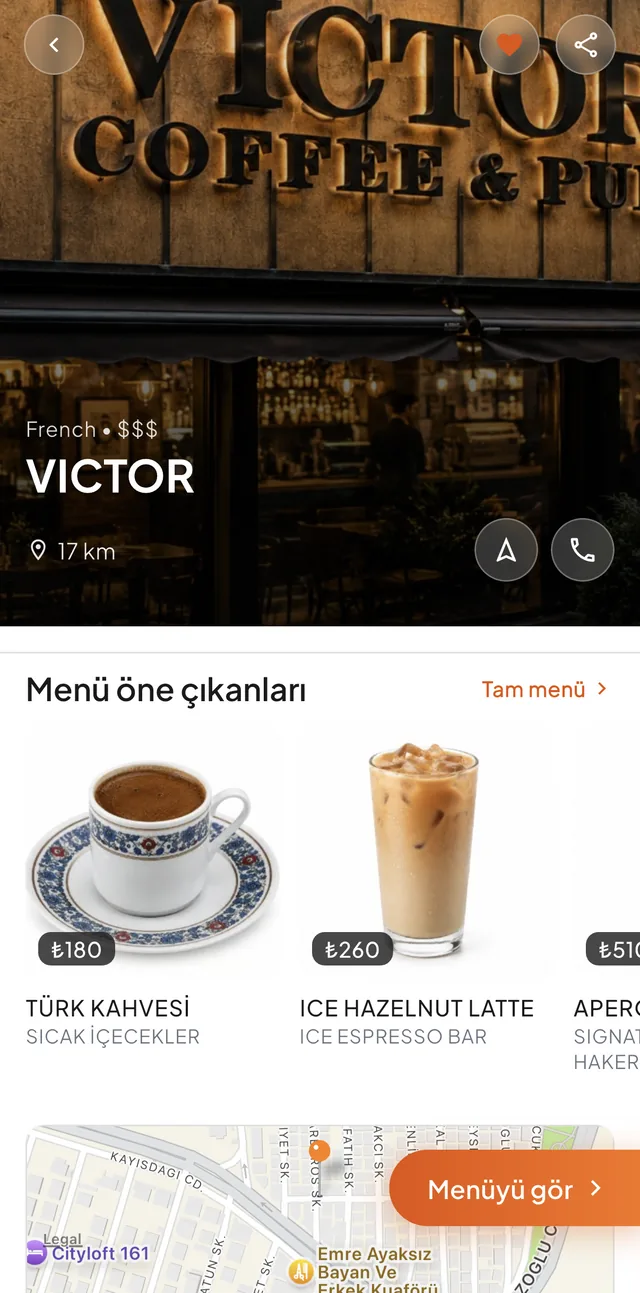
The menu and tables in Restaurant OS connect directly to Veni App. Guests find the venue on the map, see the menu before they go, order from the table and collect points for the next visit.
How it starts
Fill in the form below. Four details are enough.
We call you. If your venue is already in the Veni catalogue we hand it over to you; if not, we add it together.
Once the menu, tables and team are set up, service runs on Restaurant OS.
We are opening Restaurant OS with a first group of venues. We will get in touch once we receive your application.